The Premier Aviator Game Provider and Authorized Spribe API Aggregator!
Integrating games into an online gaming platform involves more than displaying a game on a webpage. The platform needs to communicate with the gaming API, identify the player, create the correct game session, process requests and handle responses properly.
When you Integrate Spribe API into Your Platform, the API becomes the communication layer between your platform and the selected Spribe games. Your website or application provides the user interface, while the API connects the platform with the gaming functionality.
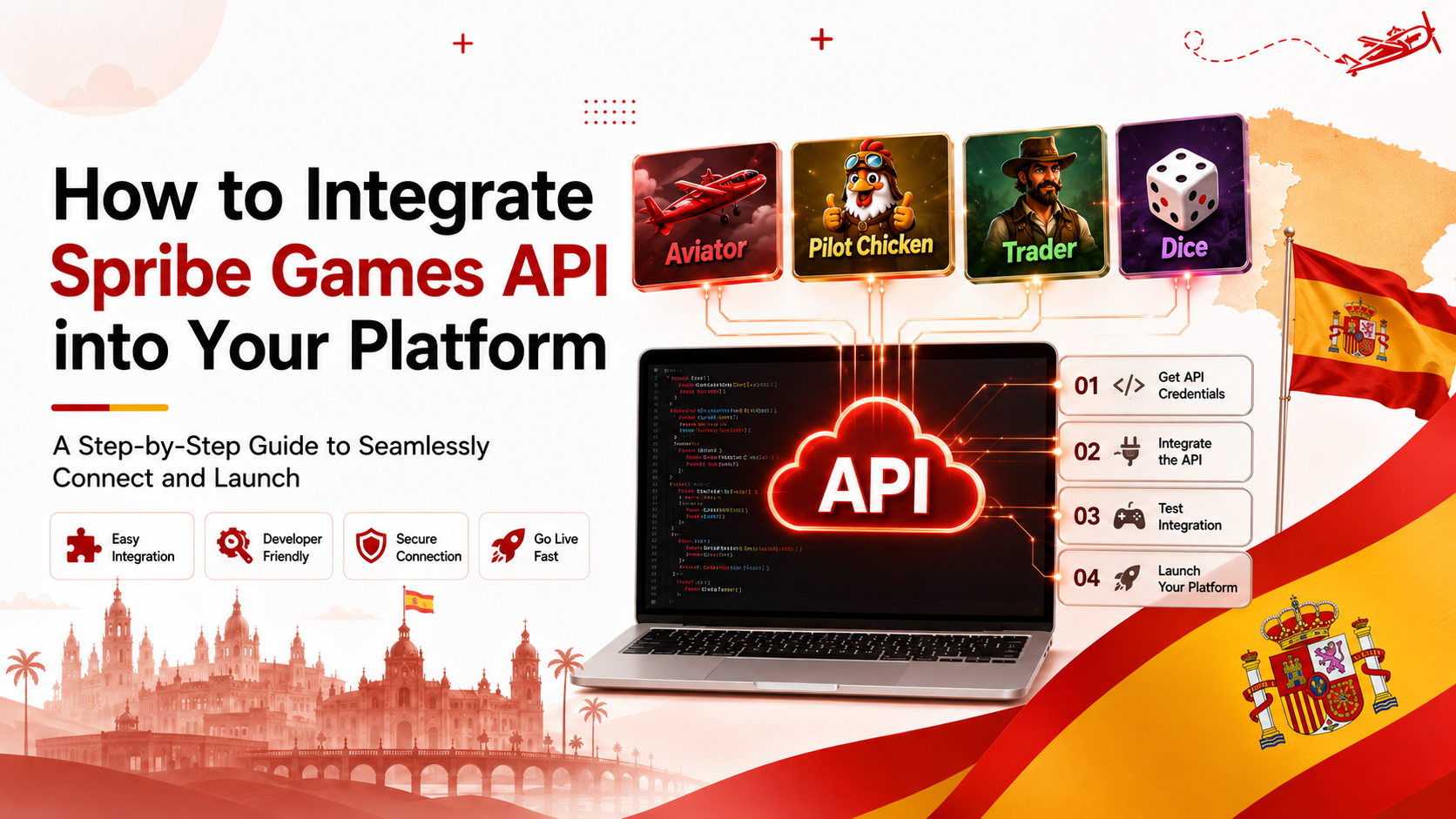
The integration can include Spribe games such as Aviator, Pilot Chicken, Trader, Dice, Goal, Plinko, Mines, HiLo, Keno, Hotline, Balloon, Keno80 and Mini Roulette.
This guide explains how the integration works from the first API request through testing and launch, including the common technical problems developers may face.
The basic communication flow is:
Player → Your Platform → Your Backend → Spribe API → Game Service → Your Backend → Your Platform → Player
The player interacts with your website or application. Your platform sends the required request through the backend, the API processes the request, and the response is returned to your platform.
Keeping the backend between the user interface and the external API is important because authentication credentials and other sensitive API information should not be exposed directly to users.
The first development stage is establishing communication between your platform and the Spribe API.
Your backend sends requests to the API using the authentication method and endpoint information provided in the API documentation.
For example, your application may need to request information required to launch a particular game. The backend sends the request, receives the response and passes the required information to the frontend.
At this stage, developers normally verify that:
If the connection works correctly, the next stage is handling the game session.
When a player selects a game, your platform needs to establish the appropriate game session.
A typical process is:
Player selects game → Platform identifies player → Backend sends request → API creates or returns session information → Platform receives response → Game opens
The session connects the player with the selected game.
Your backend should keep track of the information required by the API and follow the session rules specified in its documentation.
Incorrect session handling can result in a game failing to open, users being disconnected or requests being rejected.
After the API returns the required game-launch information, your platform uses the response to open the game for the player.
For example, if the player selects Aviator, the platform sends the appropriate request through the backend and receives the information needed to start the Aviator session.
The frontend then presents the game to the user.
Our Aviator Games API service focuses on helping businesses integrate Aviator with their gaming platforms.
The same general API integration concept can be applied when connecting other available Spribe games.
The API and your platform need to exchange information correctly.
Your backend receives API responses and determines what information should be passed to the frontend or stored within your platform.
The frontend then displays the relevant information to the user.
This creates a continuous communication cycle:
Request → API Processing → Response → Platform Processing → User Interface
Developers need to make sure that the response from the API is interpreted correctly. A response should not simply be displayed without validation.
Session management becomes particularly important when users move between games or return to a game after an interruption.
Your platform needs to correctly associate the API session with the appropriate player.
Problems can occur when:
Your backend should handle these situations according to the API's session-management requirements.
Where the API integration includes transaction functionality, the platform needs to communicate transaction-related information correctly.
A typical transaction flow can involve:
Player Action → Platform Request → API → Response → Platform Update
The important part is maintaining consistency between systems.
For example, if a request is interrupted after being sent, the platform should not automatically assume that it failed. It needs to determine the actual status before attempting another request.
This is important for preventing duplicate processing and inconsistent account information.
API responses can contain successful results as well as errors.
Your backend should check the response before passing information to the frontend.
A basic implementation should distinguish between:
Instead of allowing an API error to break the entire platform, your application should handle the error and provide an appropriate response.
API integration problems are often caused by incorrect configuration, unexpected responses or differences between the external API and the platform's existing architecture.
One of the first problems developers may encounter is an authentication error.
This can happen when:
The first step is to compare the implementation with the API documentation and verify the credentials and request headers.
The API connection may work while the actual game fails to launch.
Possible causes include:
Developers should inspect the complete API response rather than only checking whether the API request itself was successful.
A player may successfully open a game but later receive a session-related error.
This can happen when the session expires or when the platform loses synchronization with the gaming service.
The application should detect expired sessions and follow the provider's recommended session-renewal or reinitialization process.
Sometimes the platform sends a request but does not receive a response within the expected period.
This can happen because of network problems, temporary service issues or server-side delays.
The platform should use appropriate timeout handling instead of waiting indefinitely.
Duplicate requests can become a serious issue when users refresh a page, click a button multiple times or experience a network interruption.
Developers should design the integration so that repeated requests do not unintentionally create duplicate actions.
An API may return a response that technically reaches your server but does not contain the expected information.
If the application assumes every response has the same structure, unexpected data can cause errors.
Response validation is therefore an important part of the integration.
A game may work correctly on desktop but behave differently on mobile devices.
Developers should test:
The API integration may be technically correct while the frontend implementation still creates a poor mobile experience.
When an integration fails, developers should avoid changing several components at once.
A better troubleshooting process is:
Check the request → Check authentication → Check parameters → Check API response → Check backend logs → Check frontend handling → Test again
For example, if Aviator does not open, first confirm whether the API request reached the server successfully.
If it did, check the response.
If the response contains an error, identify the specific error rather than assuming the frontend is responsible.
If the API response is correct but the game still does not open, the problem may be in the platform's frontend or game-launch implementation.
This approach helps developers locate the actual source of the problem.
Testing should cover the entire communication chain rather than checking only whether a game opens.
Developers should test the normal user journey:
Login → Select Game → Create Session → Launch Game → Perform Required Actions → Receive Response → Close Game
They should also test failure situations.
For example:
Testing these situations before launch can significantly reduce production issues.
Once the API integration works in the testing environment, the production configuration can be prepared.
Before going live, developers should verify:
Testing and production environments should be treated separately so that test configuration does not accidentally affect the live platform.
Once the basic integration architecture is working, businesses can consider adding additional Spribe titles.
The portfolio can include:
The advantage of planning the integration architecture correctly from the beginning is that developers can build a reusable approach instead of creating an entirely different integration structure for every game.
You can explore the available games to see the broader gaming portfolio.
Aviator is often a key requirement for businesses interested in Spribe gaming integration.
The integration process follows the same fundamental principles: authenticate the request, establish the appropriate session, connect the game-launch flow, process responses and test the complete user journey.
Our Aviator API service can help businesses connect Aviator with their existing gaming platforms.
Starting with one game can also allow a development team to test its API architecture before expanding the platform with additional titles.
If you want to Integrate Spribe API into Your Platform, our service provides the API connectivity and technical assistance required for the integration.
We can support businesses with:
The exact implementation depends on your platform architecture and the games you want to integrate.
To Integrate Spribe API into Your Platform, your backend needs to establish a secure API connection, authenticate requests, create game sessions, process API responses and connect the results with your frontend. The complete integration should then be tested for normal and failure scenarios before production.
Common problems include authentication errors, incorrect parameters, game-launch failures, expired sessions, API timeouts, duplicate requests, incorrect response handling and frontend compatibility issues.
Yes, depending on the API solution and available games. Starting with Aviator can allow your development team to establish and test the core integration before expanding the platform with other Spribe titles.
To Integrate Spribe API into Your Platform, the development process needs to cover more than the initial API connection. The platform must correctly authenticate requests, create game sessions, launch games, process responses and manage communication between the frontend, backend and gaming API.
The most important part is preparing for situations where something does not work as expected. Authentication failures, expired sessions, timeouts, duplicate requests and incorrect responses should all be handled within the integration.
Once the core connection has been tested successfully, the same integration architecture can be extended to other available Spribe games.
If Aviator is your starting point, you can explore our Aviator API service or view our available games to learn more about the integration solutions.